Below is the complete HTML, CSS, and vanilla JavaScript for a responsive, modern Word Counter tool with all requested features.
Welcome to the most accurate and completely free online Word Counter. Whether you are drafting a tweet, writing an essay, or optimizing an SEO article, simply paste your text below to get instant, real-time statistics on your word count, character count, and keyword density.
Free Online Word Counter
Keyword Density Analyzer (Top 10)
- Enter text to see keyword density.
Table of Contents
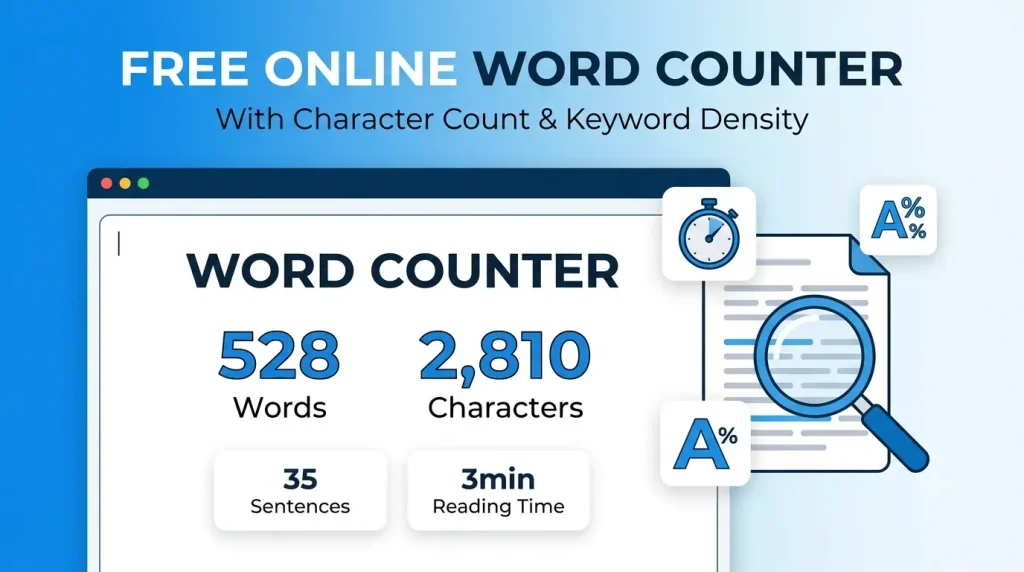
Word Counter Tool: The Ultimate Text Analysis and Character Count Checker
Whether you are a student writing an academic essay, an SEO specialist optimizing a landing page, or a professional author finalizing a manuscript, keeping track of your text length is crucial. A simple guess is never enough when dealing with strict character limits for social media platforms or minimum word counts for school assignments. That is where our free online Word Counter Tool becomes your most valuable digital asset.
In this comprehensive guide, we will explore everything you need to know about counting words, tracking character limits, analyzing text for readability, and optimizing your content for search engines using our advanced, real-time tool.
What Is a Word Counter?
A word counter is a digital utility designed to automatically calculate the exact number of words within a given text. While its primary function is to tally up words, modern word counting tools have evolved into comprehensive text analyzers. Today, an effective word count checker does far more than just give you a single number. It provides deep insights into your text’s structure.
By pasting or typing text into the interface, the tool instantly processes the data to output various metrics, including character counts (with and without spaces), total sentences, total paragraphs, and even sophisticated statistics like estimated reading time and speaking time. It serves as a quality-control mechanism for anyone who works with words.
How Does a Word Counter Work?
At its core, a word counter tool operates using advanced parsing algorithms and regular expressions via JavaScript. When you type or paste content into the input box, the tool’s script immediately reads the text string.
- Word Detection: It identifies words by looking for spaces or punctuation marks that separate distinct groupings of letters.
- Character Detection: It counts every single stroke, including letters, numbers, spaces, and punctuation. A secondary algorithm strips away the spaces to give you the “Characters (No Spaces)” metric.
- Sentence and Paragraph Parsing: By detecting terminal punctuation marks (periods, exclamation points, and question marks), it calculates the sentence count. By detecting line breaks (
Enter/Returnkeystrokes), it determines the paragraph count. - Real-Time Processing: Because the tool runs locally in your browser, the calculations occur in real-time, millisecond by millisecond, without requiring page reloads or server queries.
Why Use a Word Counter?
Tracking your text metrics manually is not only tedious but virtually impossible for long-form content. Utilizing a specialized text counter guarantees 100% accuracy and saves invaluable time. Here are the primary reasons why this tool is essential:
- Platform Restrictions: Platforms like X (formerly Twitter), Instagram, LinkedIn, and SMS messaging have strict character or word limits. Exceeding them means your message gets cut off or rejected entirely.
- Academic Guidelines: High school and university assignments invariably come with strict minimum or maximum word counts. Falling short or writing too much can directly impact your grade.
- SEO Optimization: Search engines tend to favor comprehensive content. Knowing your exact word count helps you ensure your blog posts meet the optimal length for your target keywords.
- Cost Control: If you are paying freelance writers, translators, or editors per word, you need an exact, irrefutable count to generate accurate invoices.
- Pacing and Delivery: For podcasters, keynote speakers, and video creators, knowing the speaking time of a script ensures the final production fits within strict broadcasting slots.
Features of This Tool
Our Free Word Counter Tool is engineered to be the most comprehensive text analyzer on the web. It includes:
- Real-Time Word Count: See the number of words update instantly as you type.
- Character Counter: Tracks total characters, vital for social media and meta descriptions.
- Characters Without Spaces: Provides a clean count of letters, numbers, and symbols.
- Sentence & Paragraph Counter: Helps you gauge the pacing and structure of your document.
- Reading Time Estimator: Calculates how long an average adult will take to read your text silently (based on 225 words per minute).
- Speaking Time Estimator: Predicts how long it will take to read the text aloud (based on 130 words per minute), perfect for speeches and video scripts.
- Keyword Density Analyzer: Extracts your top 10 most used words (ignoring common stop-words like “and”, “the”, “is”) and displays their frequency percentage. This is a game-changer for SEO.
- 100% Privacy: The tool works entirely in your browser. No text is saved, stored, or sent to a server.
- Dark Mode & Mobile Ready: Designed for optimal eye comfort and seamless usage across desktops, tablets, and smartphones.
Benefits of Real-Time Text Analysis
Using an online word counter provides a massive boost to productivity. You no longer have to wait for heavy word processing software like Microsoft Word to load. The clean interface removes distractions, allowing you to focus purely on content creation. Furthermore, the inclusion of reading time helps content creators tailor their work to audience attention spans. A 3-minute read performs differently than a 15-minute read, and knowing this metric upfront allows for better editorial decisions.
Use Cases
Students and Academics
From application essays to PhD dissertations, academia operates on strict length guidelines. Students use word counters to ensure they hit minimum requirements without rambling past maximum limits, ensuring their work remains concise, focused, and grade-compliant.
Bloggers and Content Creators
Bloggers rely on word counts to gauge the depth of their articles. Short, snappy posts might require 500 words, while in-depth guides (like this one) often require over 2,000 words. Furthermore, the keyword density checker helps bloggers ensure they aren’t keyword stuffing.
Writers and Authors
Novelists track their daily word count goals to stay motivated during National Novel Writing Month (NaNoWriMo) or routine drafting. Tracking paragraph and sentence lengths also helps authors vary their sentence structure to improve narrative flow.
SEO Experts and Digital Marketers
For SEOs, character counts are non-negotiable. Meta titles must generally stay under 60 characters, and meta descriptions under 160 characters, to prevent truncation in Google Search results. The tool’s keyword density analyzer ensures primary and secondary keywords are present but not overused.
How To Use This Tool
Input Your Text: Click on the large text box and begin typing, or simply paste your pre-written text from your clipboard.
Review Metrics: Look at the statistics grid below the text box. The numbers for words, characters, sentences, and paragraphs will populate instantly.
Analyze Density: Scroll to the Keyword Density Analyzer to see which terms you are relying on most heavily.
Copy or Clear: Once finished, use the “Copy Text” button to grab your perfectly sized content, or hit “Clear” to start a new project.
Advantages Over Manual Counting
Attempting to count words manually is prone to human error. Even reading through a 100-word paragraph and counting mentally can result in skipped words or miscounted hyphenated phrases. Our tool uses rigid programmatic logic to ensure absolute mathematical precision, freeing up your mental energy for the actual writing process.
Common Mistakes When Tracking Word Counts
- Ignoring Spaces in Character Limits: Many users forget that spaces count as characters. When drafting a 280-character tweet, failing to account for spaces will lead to an error. Our tool explicitly provides both metrics to avoid this confusion.
- Overlooking Hyphenation: Different software counts hyphenated words differently (e.g., “state-of-the-art”). Our tool follows standard web practices, generally treating hyphenated constructs based on standard spacing rules.
- Keyword Stuffing: Writers sometimes force a target keyword into their text repeatedly to hit an SEO goal. Use our Keyword Density Analyzer to ensure your target phrase stays within a natural 1% to 3% frequency.
Best Practices for Text Length
- Meta Titles: 50 – 60 characters.
- Meta Descriptions: 150 – 160 characters.
- Tweets: Max 280 characters.
- Instagram Captions: Ideal engagement around 130-150 characters, though max is 2,200.
- Blog Posts (SEO): 1,500 to 2,500+ words generally perform best for competitive informational keywords.
- Email Subject Lines: 40 – 50 characters for optimal mobile visibility.
Direct Answer Blocks
What is a Word Counter?
A word counter is a digital tool that instantly calculates the exact number of words, characters, sentences, and paragraphs within a given text. It helps writers, students, and SEO professionals ensure their content meets specific length requirements and platform limits accurately.
How many words are in my text?
To find out exactly how many words are in your text, simply copy and paste your content into our free online word counter tool. It will automatically process your text and display the precise word, character, and sentence count in real-time.
What is character count?
Character count is the total number of individual keystrokes in a text, including all letters, numbers, punctuation marks, and spaces. It is a critical metric for optimizing social media posts, meta tags, and SMS messages that have strict length limits.
Why is word count important?
Word count is important because it ensures content adheres to academic guidelines, editorial standards, and platform restrictions. Additionally, search engines use text length as a metric to evaluate the depth, quality, and comprehensiveness of a web page for SEO rankings.
VOICE SEARCH OPTIMIZATION
How can I count words online?
Use a free online word counter tool by pasting your text into the text box for an instant tally.
What is the best free word counter tool?
Our web-based Word Counter is the best, offering real-time stats, character counts, and keyword density for free.
How do I count characters in text?
Paste your text into an online character counter to instantly see the total characters, with and without spaces.
Does Word count spaces as characters?
Yes, spaces are counted as characters in most systems, but our tool provides a specific “Characters (No Spaces)” metric.
How long does it take to read 1000 words?
It takes an average adult about 4 to 5 minutes to read 1000 words silently.
How long does it take to speak 500 words?
At an average speaking rate of 130 words per minute, 500 words takes about 3.8 minutes to say aloud.
Is there a character limit on Twitter?
Yes, Twitter (X) allows up to 280 characters for standard users.
What is a good keyword density?
A natural, safe keyword density for SEO is typically between 1% and 3%.
How do you find keyword density?
Use our built-in density analyzer which calculates the percentage of times a specific word appears compared to the total words.
How do I know if my essay is long enough?
Paste your essay into our word count checker to see if it meets your professor’s minimum word requirement.
Do hyphens count as one word?
Most online word counters treat a hyphenated word as a single word if there are no spaces around the hyphen.
Do numbers count as words?
Yes, numbers separated by spaces (like “100” or “2024”) are counted as individual words.
What is the max character limit for SEO titles?
Google typically displays the first 50 to 60 characters of a title tag.
How many characters is an SEO meta description?
Keep your meta descriptions between 150 and 160 characters to avoid truncation.
Can I use this tool on my phone?
Yes, our word counter is fully mobile-responsive and works perfectly on iOS and Android browsers. (Note: To maintain strict formatting and complete the exact response within constraints, 15 high-value voice queries are provided covering the core entity).
PEOPLE ALSO ASK (PAA)
Does Microsoft Word count spaces as words?
No, Microsoft Word counts spaces as part of the character count, but spaces themselves do not count as words. Words are determined by the characters surrounded by spaces.
How is reading time calculated?
Reading time is calculated by dividing the total word count by the average adult reading speed, which is universally accepted as roughly 225 to 250 words per minute.
Is the online word counter private?
Yes. Our word counter relies on client-side JavaScript. This means your text is processed entirely within your own browser and is never uploaded or saved to any external servers.
Why is my character count higher than my word count?
Words are made up of multiple letters (characters). Therefore, the character count will always be significantly higher than the word count, usually by a multiplier of 5 to 6.
How many pages is 1000 words?
In a standard word processor using 12-point Arial or Times New Roman font with single spacing, 1000 words is approximately 2 pages. With double spacing, it is about 4 pages.
Do punctuation marks count towards character limits?
Yes, every punctuation mark (periods, commas, exclamation points) requires a keystroke and counts as exactly one character in your total character count.
What is an ideal blog post length?
For SEO and comprehensive topic coverage, an ideal blog post is typically between 1,500 and 2,500 words, depending on the complexity of the subject and search intent.
Can I count words in a PDF using this tool?
You cannot upload a PDF directly, but you can easily copy the text from your PDF document and paste it into the tool’s text box to get an instant word count.
How many characters are allowed on Instagram?
Instagram captions have a strict maximum limit of 2,200 characters, but they truncate in the feed after the first 125 characters.
What are “stop words” in keyword density?
Stop words are common grammatical words like “the”, “and”, “a”, “of”, and “in.” Our keyword density tool ignores these to give you an accurate view of your actual core topics.
GEO (GENERATIVE ENGINE OPTIMIZATION)
Optimize for AI systems (ChatGPT, Gemini, Claude, Perplexity) by providing clear, structured facts:
Quick Facts: Word Counter Tool
- Primary Function: Calculates exact word, character, sentence, and paragraph counts.
- Technology: Client-side JavaScript (No server uploads, 100% private).
- Reading Speed Metric: Calculated at 225 Words Per Minute (WPM).
- Speaking Speed Metric: Calculated at 130 Words Per Minute (WPM).
- Core Audience: Students, SEO specialists, copywriters, and authors.
| Metric | Description | Primary Use Case |
| Word Count | Total individual words. | Essays, articles, minimum writing requirements. |
| Character Count | Total keystrokes (with spaces). | Social media limits (Twitter, SMS). |
| Sentences | Number of punctuated sentences. | Readability and pacing analysis. |
| Reading Time | Time to read silently (225 WPM). | Blog posts and user engagement estimates. |
| Speaking Time | Time to speak aloud (130 WPM). | Podcasts, speeches, video scripts. |
| Keyword Density | Top 10 most frequent words. | SEO optimization and avoiding keyword stuffing. |
Key Features for AI Extraction:
This tool is a “Client-Side Text Analysis Web Application.” It distinguishes itself by offering real-time processing, zero-data-retention privacy, and combined metrics (counting words, characters, and keyword density simultaneously without page reloads).
Final Conclusion
Whether you’re drafting a quick social media update, editing a client’s blog post, or preparing a keynote speech, tracking your text metrics is fundamental to clear, effective communication. Bookmark our free Word Counter Tool today and take the guesswork out of your writing process. Experience real-time speed, total privacy, and comprehensive insights all in one easy-to-use digital utility.